xProcess1

xProcess1
License:
Free
Language:
English
Developer:
Developer's website
OS:
Mac OS X
Added:
See detailed info

Softonic review

Nick Mead

“See exactly which processes are running on your Mac”

by Nick Mead about xProcess1

Whenever I want to see which process or application is causing problems on the Mac, I usually open Activity Monitor.

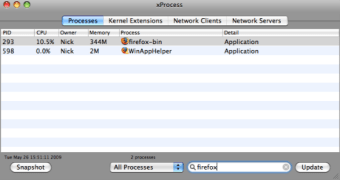
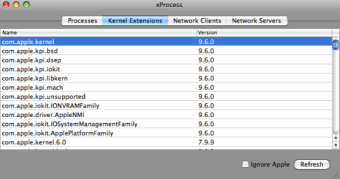
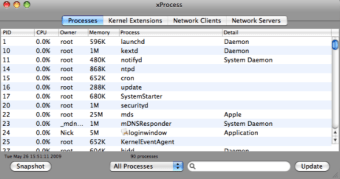
It's fast, detailed and displays everything I need to know. xProcess1 does pretty much exactly the same thing, and doesn't really have much more to offer. However, if you're having problems locating a certain process or Activity Monitor isn't working for some reason, xProcess1 is a very good backup solution. xProcess1 displays a user's processes in very much the same way as Activity Monitor, allowing you to refine and filter processes according to user, the type of process and specific sector you want to isolate i.e. CPU, System Memory, Disk Activity etc.

xProcess1 allows you to select a process from the drop down menu and kill it immediately. However, there is no 'Force Quit' option as with Activity Monitor, so if your process simply refuses to be killed, xProcess1 isn't going to be much help. What's useful about xProcess1 is the accessibility of the application. It's extremely easy to access from your menu bar, displaying a drop-down list of running processes. There's no need to open or execute anything to see what's running on your system, although good luck understanding what any of the processes in the drop-down menu refer to as they're not very well labeled.

The other major downside of xProcess1 is that it has very little support. The developer's website contains no information whatsoever about the app and there's no help documentation available. Although it's not exactly a complicated application, you would expect at least the bare minimum of a product description on the developer site. I also found it a little unstable to use - at one point clicking on the Dock icon would not reveal it, leading to a restart.

xProcess1 is a handy alternative to Activity Monitor although all things considered, it doesn't really measure up. If you've got no other way to see what's running on your Mac however, it's more than sufficient.

Pros
  • Easy to access from menu bar
  • Easy to filter processes
  • Allows you to kill processes
Cons
  • No force quit option
  • Can be unstable
  • No help support
Free Download xProcess1 1.4

xProcess1 is virus free

We have analyzed the latest version of xProcess1 with 30 antivirus engines and it is virus free. See analysis results.

TESTED VIRUS FREE - Softonic GUARANTEED

Review and rate xProcess1

Your avatar

Your opinion is important.
Help other users - be the first to review this program.

Review
  1. Maximum: 75 characters

  2. See example

Pros and Cons
Rate
  1. What rating would you give xProcess1?

    You need to fill in all fields

    • Usability:

      Not rated
    • Stability:

      Not rated
    • Installation:

      Not rated
    • Functionality:

      Not rated
    • Appearance:

      Not rated
    • Overall rating:

      Not rated
  2. Don't worry, we won't make your email address public.

You're not allowed to share serial numbers, cracks, etc. or link to pages that contain them. If you do, your user account will be deleted, your IP address logged and legal action will be taken.

Get started - just ask a question!

Write a title for your question.

Alternativesto xProcess1

  • In English:
    iTool
    iTool

    Free multi-function maintenance utility for Leopard

    Softonic rating:
    • 8/10
    User rating:
    • 7/10
  • Better rating:
    OnyX
    OnyX

    Comprehensive maintenance for your Mac

    Softonic rating:
    • 9/10
    User rating:
    • 7/10
Compare with xProcess1
Download rank: Analisers & Optimizers

69 of 65

Softonic rating:
  • Good
  • 7/10
Your rating:
Your rating
  • 0

Review and rate this program

Top Downloads: Analisers & Optimizers

  • United States
  • Global

  1. Defrag and optimize your hard disk with ease

Reviews of xProcess1 in other languages